Execute a test case
If you are offline, you can execute these test cases and test scenarios. To do so, mark an element and press Execute. 
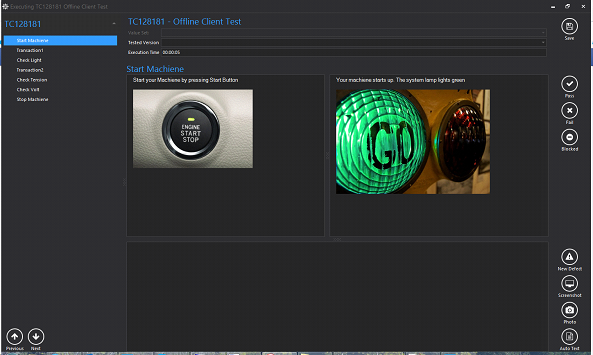
Here, you can pass, fail, and block your test steps which can be found on the left-hand side. The left upper fields show the instructions, and the right upper field the expected result. Down in the centre, you can insert the actual result. On the right-hand side you can
• create a new defect based on the test step
• create a screenshot
• take a photo by webcam
• insert auto text to be used every time
Following the test execution, you can synchronize all test results back to? aqua.
To do so, press the  button.
button.