Defining Data - Using Variable Manager for Parameterization
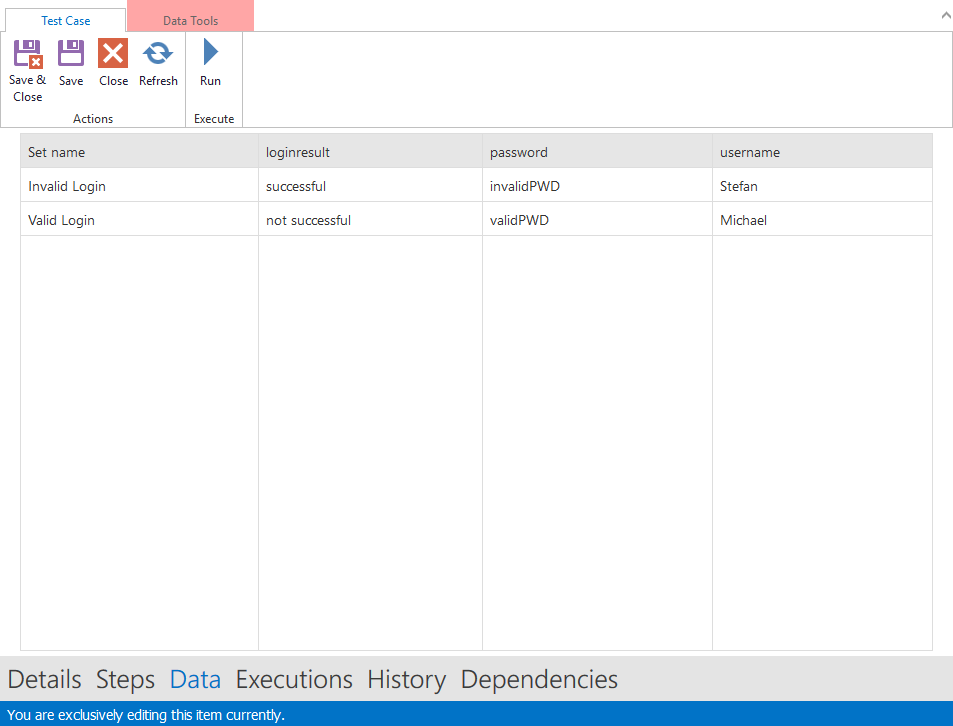
A test case can be parameterized by test data. Open a test case and open the Variable Manager by clicking the 'Data' link on the navigation bar.
The screenshot below shows two sets of data (Invalid Login and Valid Login) for testing a login. Here, data is specified similarly to Excel. The Set name represents the name of the test value set, and the columns represent test variables (username, password and loginresult).
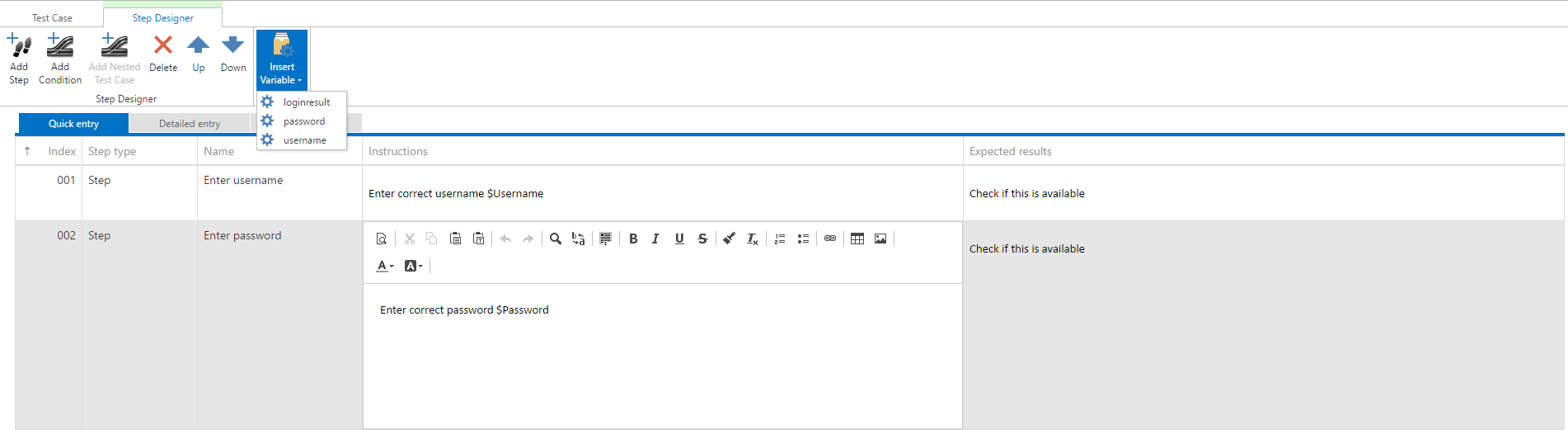
Open the Step designer in order to parameterize the test steps. Insert variable Password by clicking on Insert Variable and then clicking on Password. A placeholder $Password is inserted.
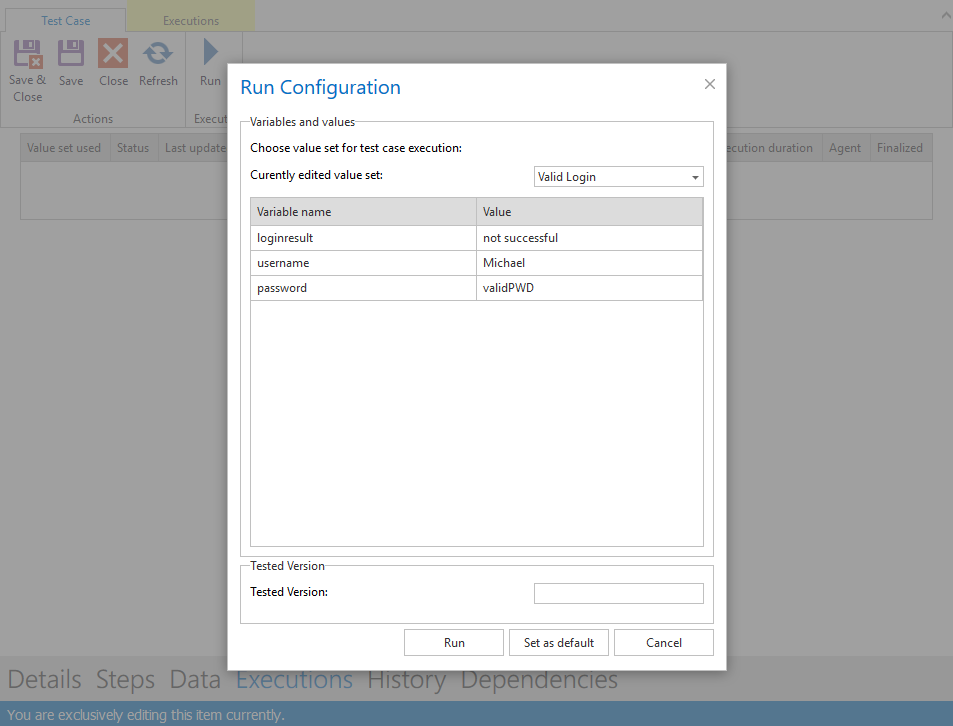
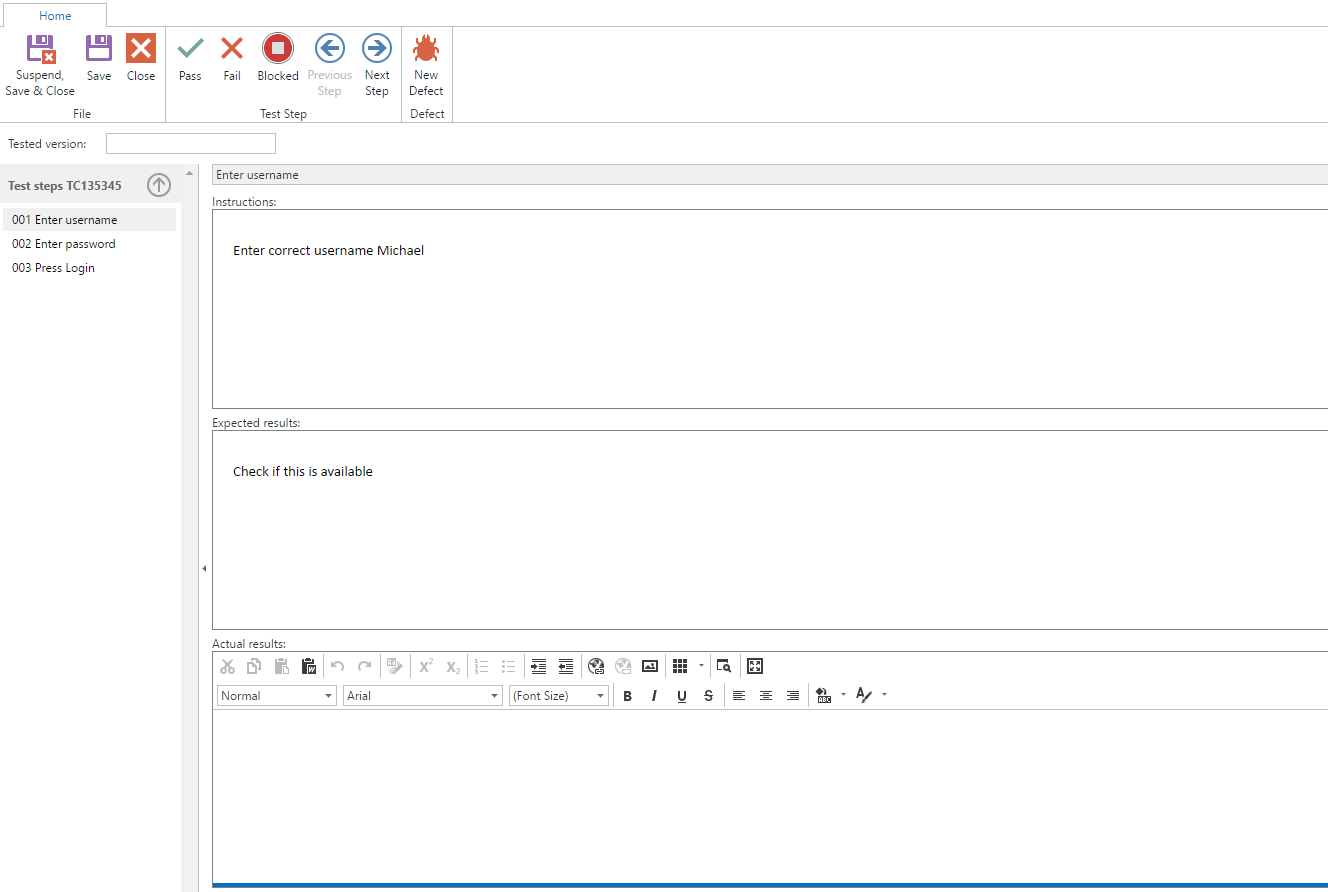
As you can see in the following screen, the placeholder is replaced with the given value.
If you want to execute all or a selection of parameterized tests as a group of tests, you can take a look at Test scenario.