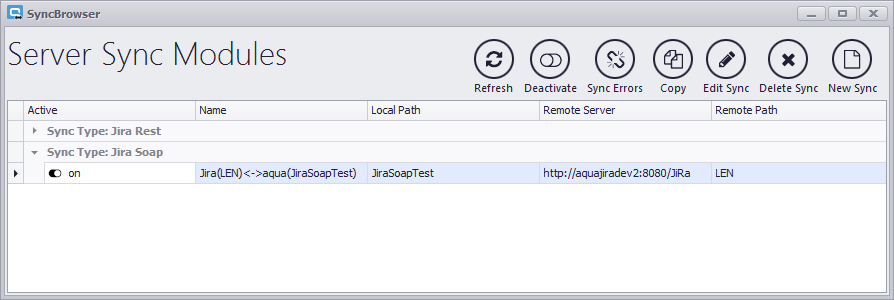
All the configured synchronizations are shown in the Main Menu. There are five columns:
Active: this column shows which synchronization configurations are currently activated  or deactivated
  .
.
Name: displays the synchronization name given in the step “Finishing Configuration” (see chapter 3.8)
Local Path: displays the name of the synchronized aqua project configured within that specific configuration.
Remote Server: displays Jira server’s URL address.
Remote Path: displays the name of the synchronized Jira project key configured within that specific configuration.
To check if our first configuration was done correctly, we will go through some basic tasks such as creating defects and changing some values.